Manage users with the Salto Space API
The Space API, part of Salto IDM Connect, is a REST API that communicates with your Salto Space installation over the SHIP protocol. This guide explains how to manage the full lifecycle of a user through the API:
- Create a user.
- Get one user or list all users.
- Update a user.
- Delete a user.
You can use any HTTP client, such as Postman, or your own application. Each step shows the API request and the result in Salto Space.
Before you start, follow the guide to connect Salto Space to the Space API. That guide explains how Salto connects the Space API to your Salto Space installation and issues the API credentials you need. Then request an access token for the requests shown here.
Step 1: Create a user
Use the
POST /api/v1/usersendpoint to create a user. The following payload shows the minimal fields:json{ "extUserId": "UNIQUE_USER_ID", "title": "Mr", "firstName": "FIRST_NAME", "lastName": "LAST_NAME" }extUserIdis the unique identifier of the user in Salto Space. You can provide any string, and you use this value to get, update, or delete the user later.firstNameandlastNameset the name shown in Salto Space.
After a successful response, confirm that the user was created in Salto Space. You can filter the Ext ID column of the Users list by the
extUserIdyou used.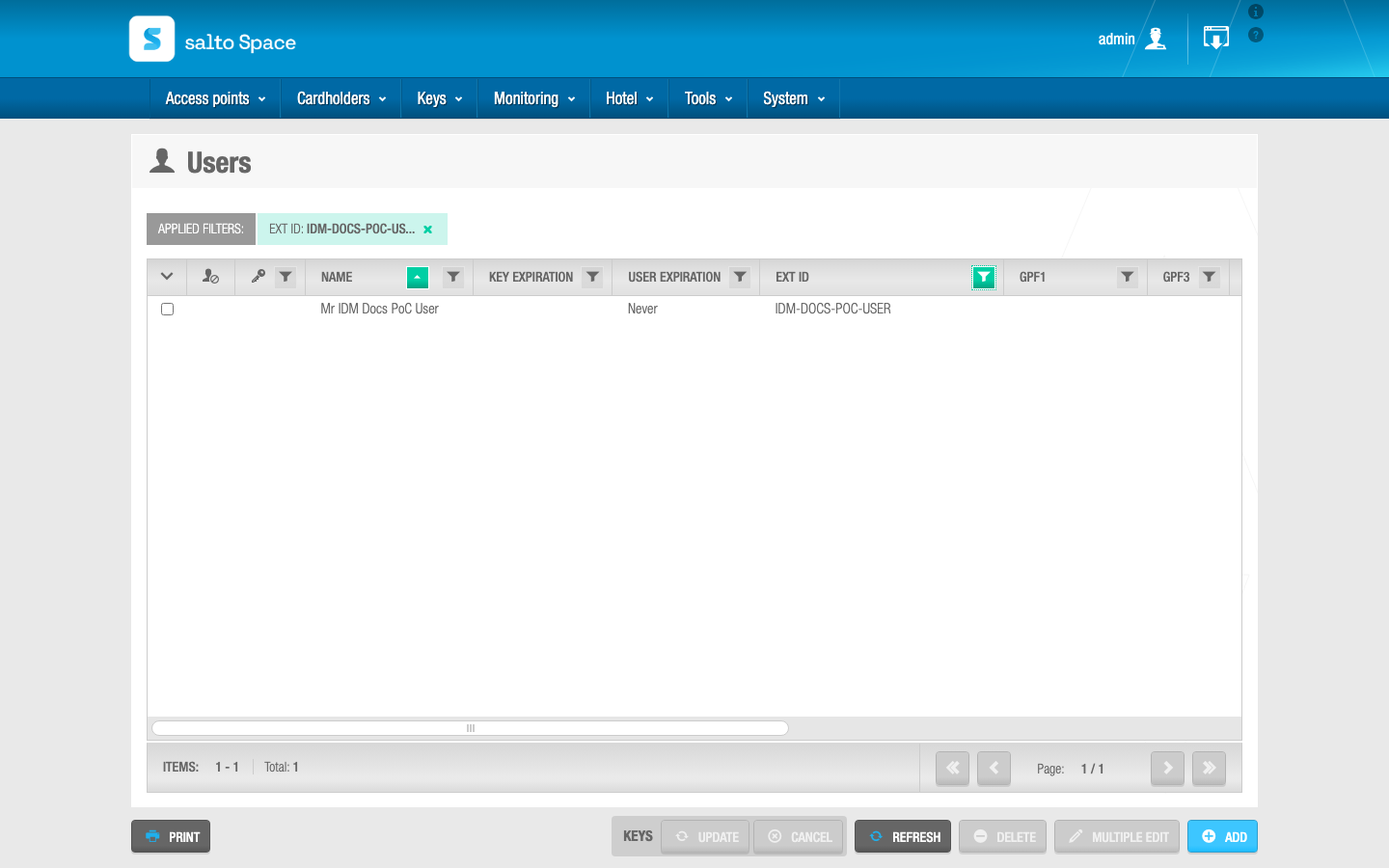
This example uses only the minimal fields. See the Space API reference for the full list of fields you can set on a user, such as access levels, zones, PIN, and activation or expiration dates.
Step 2: Get a user
To get users:
- To get a single user, use the
GET /api/v1/users/IDendpoint, whereIDis theextUserIdof the user. - To list all users, use the
GET /api/v1/usersendpoint. - To page and filter the results, use the
GET /api/v1/users/filteredendpoint.
Step 3: Update a user
Use the
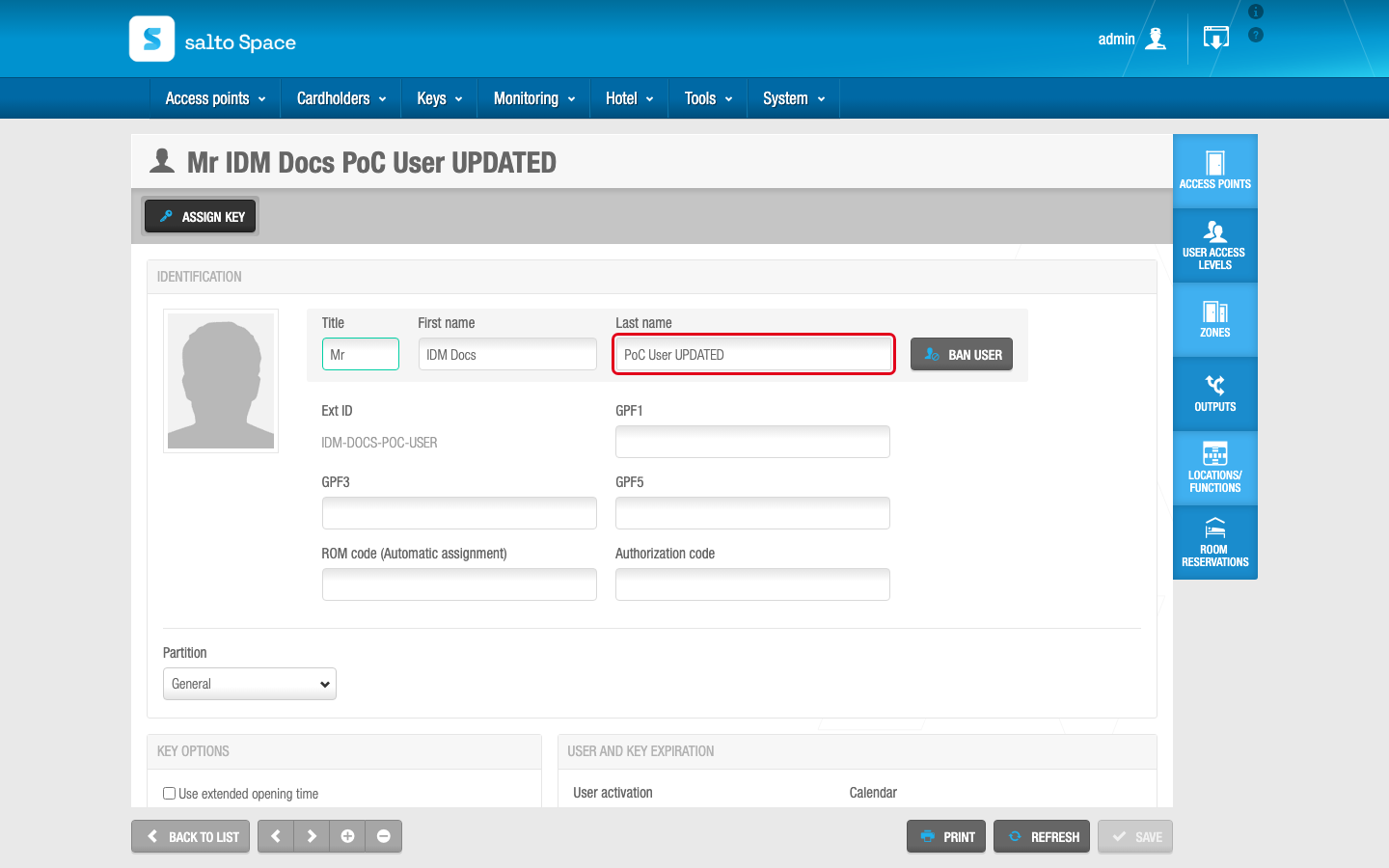
PUT /api/v1/users/IDendpoint, whereIDis theextUserIdof the user. Include the fields you want to set. The following payload updates the last name:json{ "extUserId": "UNIQUE_USER_ID", "firstName": "FIRST_NAME", "lastName": "NEW_LAST_NAME" }After a successful response, confirm the change on the user's page in Salto Space.
Step 4: Delete a user
Use the
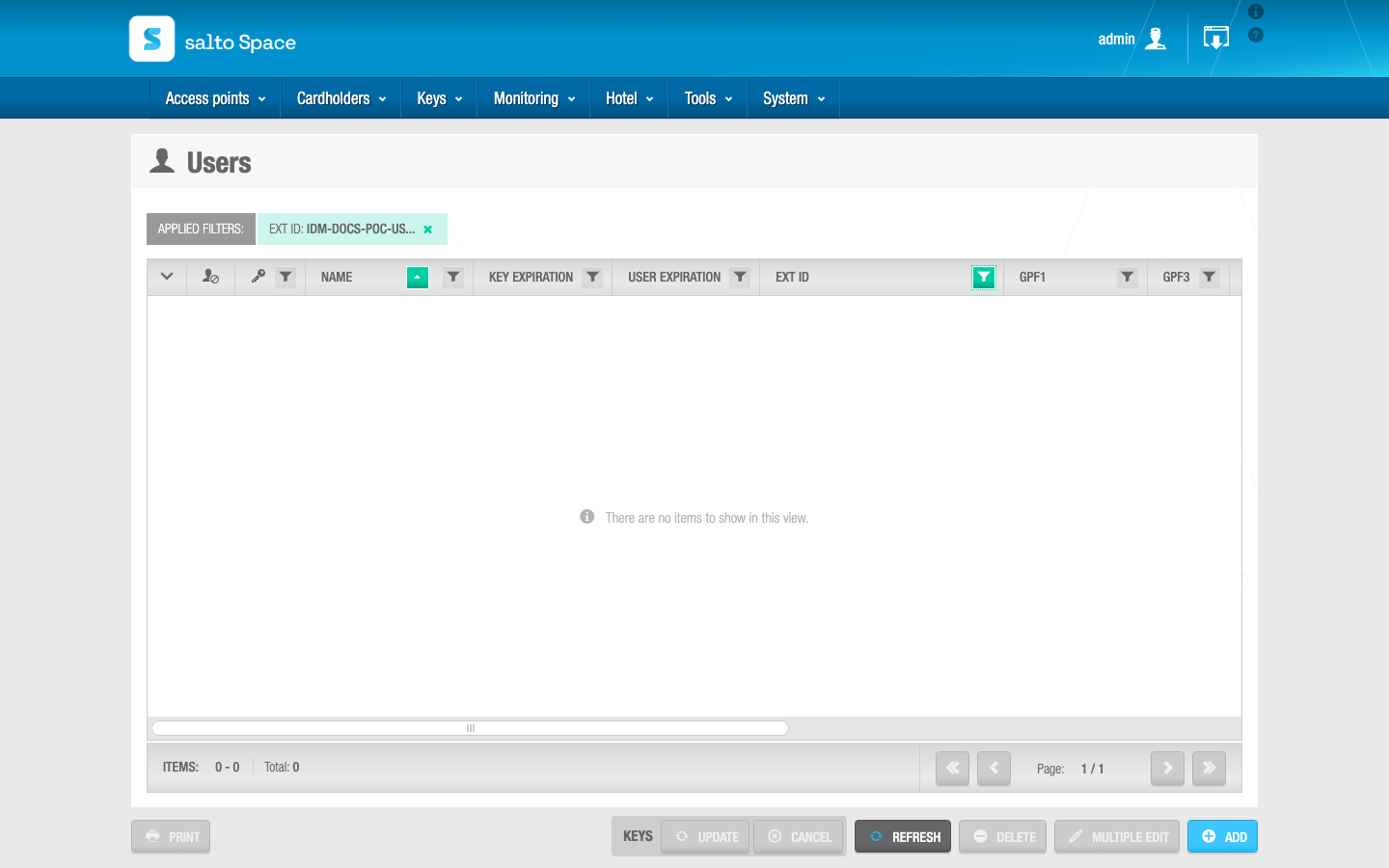
DELETE /api/v1/users/IDendpoint, whereIDis theextUserIdof the user.After the user is deleted, the record is removed from Salto Space and all access is revoked, including both mobile and physical keys. The user no longer appears in the Users list.
API definition and documentation
See the Space API reference for a full description of the endpoints and entities available through the API.
The Space API uses a limited set of the functionality available in the full SHIP protocol.
Contact support-id@saltosystems.com if you need functionality in the API that is not yet available.
 Back
