Manage access levels with the Salto Space API
The Space API, part of Salto IDM Connect, is a REST API that communicates with your Salto Space installation over the SHIP protocol. This guide explains how to manage the full lifecycle of an access level through the API:
- Create an access level.
- Get one access level or list all access levels.
- Update an access level.
- Delete an access level.
You can use any HTTP client, such as Postman, or your own application. Each step shows the API request and the result in Salto Space.
Before you start, follow the guide to connect Salto Space to the Space API. That guide explains how Salto connects the Space API to your Salto Space installation and issues the API credentials you need. Then request an access token for the requests shown here.
An access level groups together the doors that a user can open. In Salto Space, access levels appear in the User access levels list, under Cardholders. After you create an access level, you can assign it to users so they inherit the doors it grants.
Step 1: Create an access level
Use the
POST /api/v1/accesslevelsendpoint to create an access level. The following payload shows the minimal fields:json{ "extGroupId": "UNIQUE_ACCESS_LEVEL_ID", "name": "ACCESS_LEVEL_NAME", "description": "DESCRIPTION", "doors": [] }extGroupIdis the unique identifier of the access level in Salto Space. You can provide any string, and you use this value to get, update, or delete the access level later.nameanddescriptionset the name and description shown in Salto Space.doorsis the list of doors the access level grants. Each entry has a singleextDoorIdfield. Leave the list empty to create the access level without doors, and add them later.
A successful response returns the
extGroupIdof the new access level.After a successful response, confirm that the access level was created in Salto Space. You can filter the Ext ID column of the User access levels list by the
extGroupIdyou used.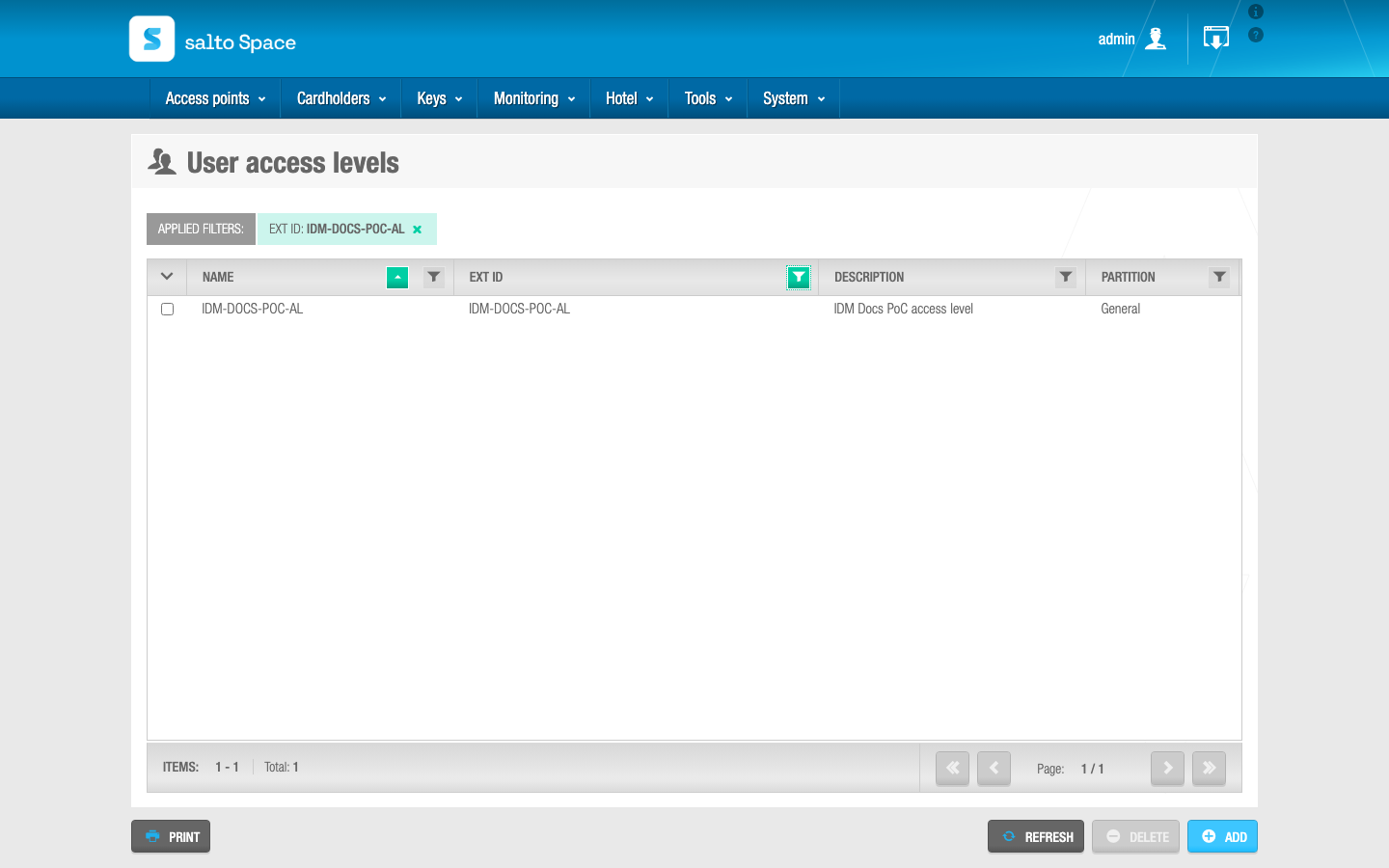
This example uses only the minimal fields. See the Space API reference for the full description of the access level entity and the doors you can assign to it.
Step 2: Get an access level
To get access levels:
- To get a single access level, use the
GET /api/v1/accesslevels/IDendpoint, whereIDis theextGroupIdof the access level. - To list all access levels, use the
GET /api/v1/accesslevelsendpoint. - To page and filter the results, use the
GET /api/v1/accesslevels/filteredendpoint with themaxCountandstartingFromExtGroupIdquery parameters:maxCountsets the page size.startingFromExtGroupIdis a cursor: the results begin at the access level that follows the one you provide. Use the lastextGroupIdof a page as thestartingFromExtGroupIdof the next request to page through the full list.
Step 3: Update an access level
Use the
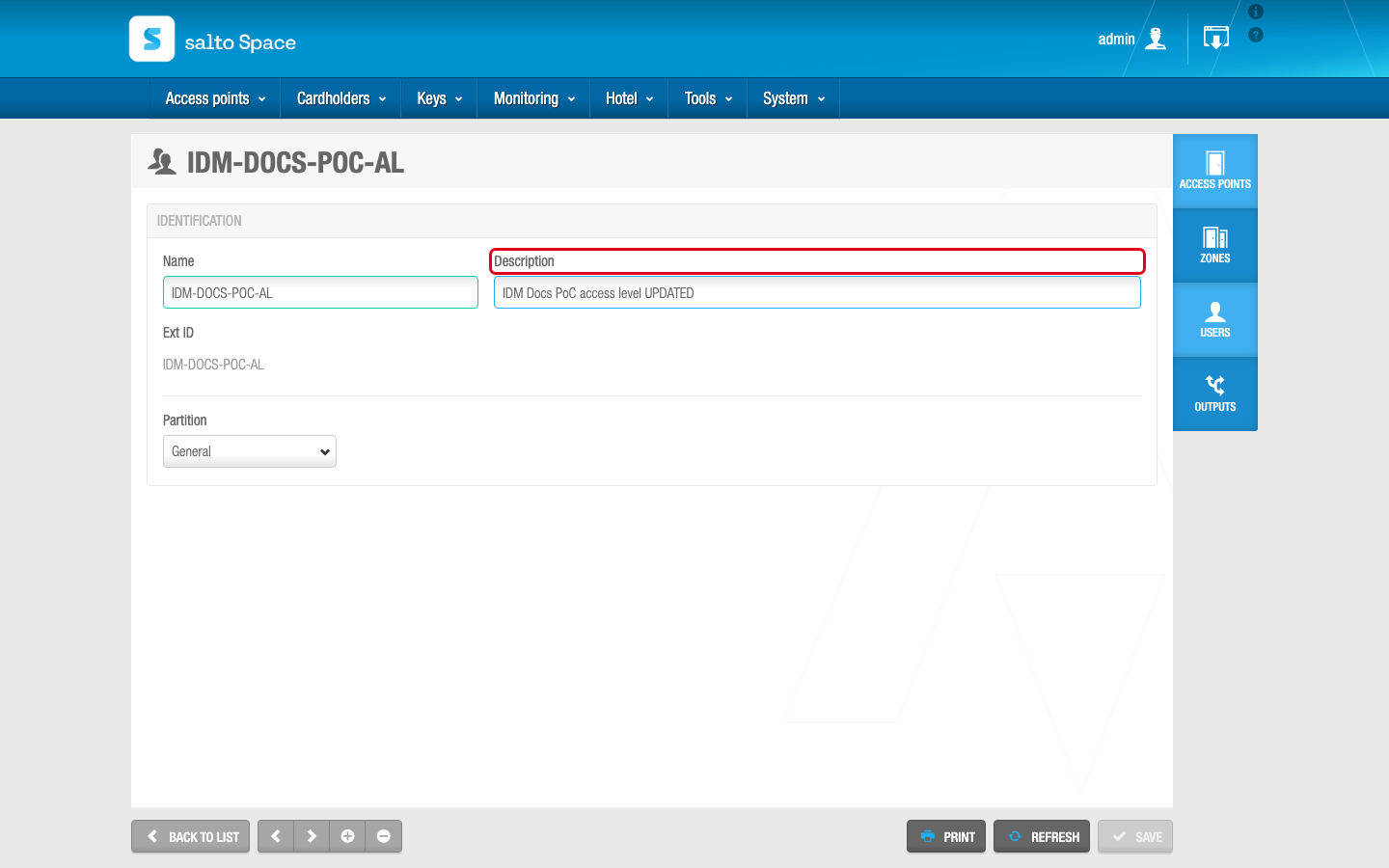
PUT /api/v1/accesslevels/IDendpoint, whereIDis theextGroupIdof the access level. Send the complete access level, not only the fields you want to change. The following payload updates the description:json{ "extGroupId": "UNIQUE_ACCESS_LEVEL_ID", "name": "ACCESS_LEVEL_NAME", "description": "NEW_DESCRIPTION", "doors": [] }After a successful response, confirm the change on the access level's page in Salto Space. Double-click the access level in the User access levels list to open its detail page.
Step 4: Delete an access level
Use the
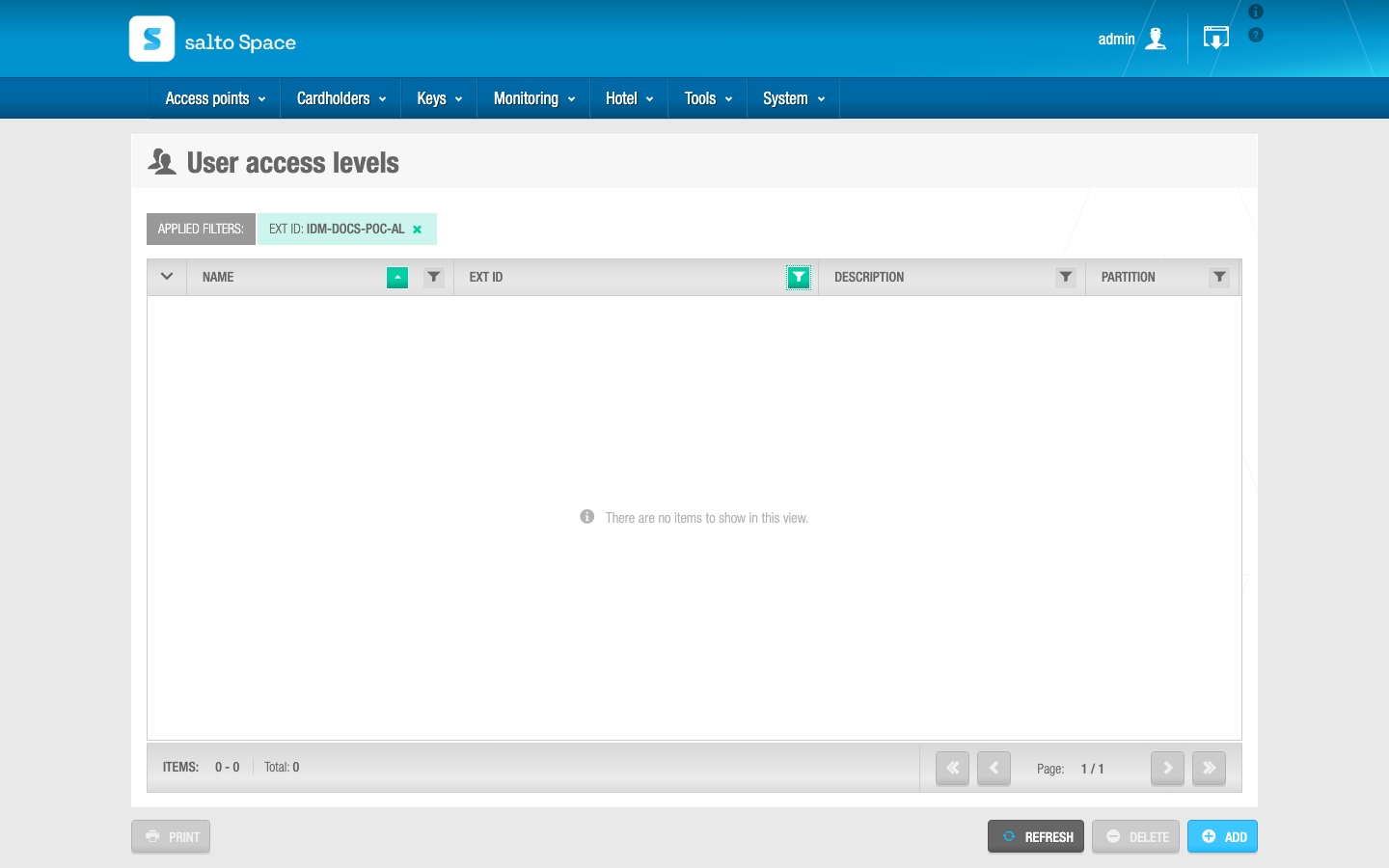
DELETE /api/v1/accesslevels/IDendpoint, whereIDis theextGroupIdof the access level.After the access level is deleted, the record is removed from Salto Space. It no longer appears in the User access levels list.
Every operation returns an HTTP 200 status code.
To confirm whether a request succeeded, check the Success field in the response rather than the status code alone.
API definition and documentation
See the Space API reference for a full description of the endpoints and entities available through the API.
The Space API uses a limited set of the functionality available in the full SHIP protocol.
Contact support-id@saltosystems.com if you need functionality in the API that is not yet available.
 Back
Manage users
 Manage zones